Turn your folders of SKP files into a visual, searchable component library directly inside SketchUp.
FGId Local SKP Search is a free SketchUp extension designed to help you find, preview and reuse your own SketchUp models without leaving SketchUp.
Furniture, doors, windows, lighting, vegetation, outdoor elements, vehicles, houses, buildings or complete projects: simply point the plugin to your existing SKP folders and start browsing your collection.
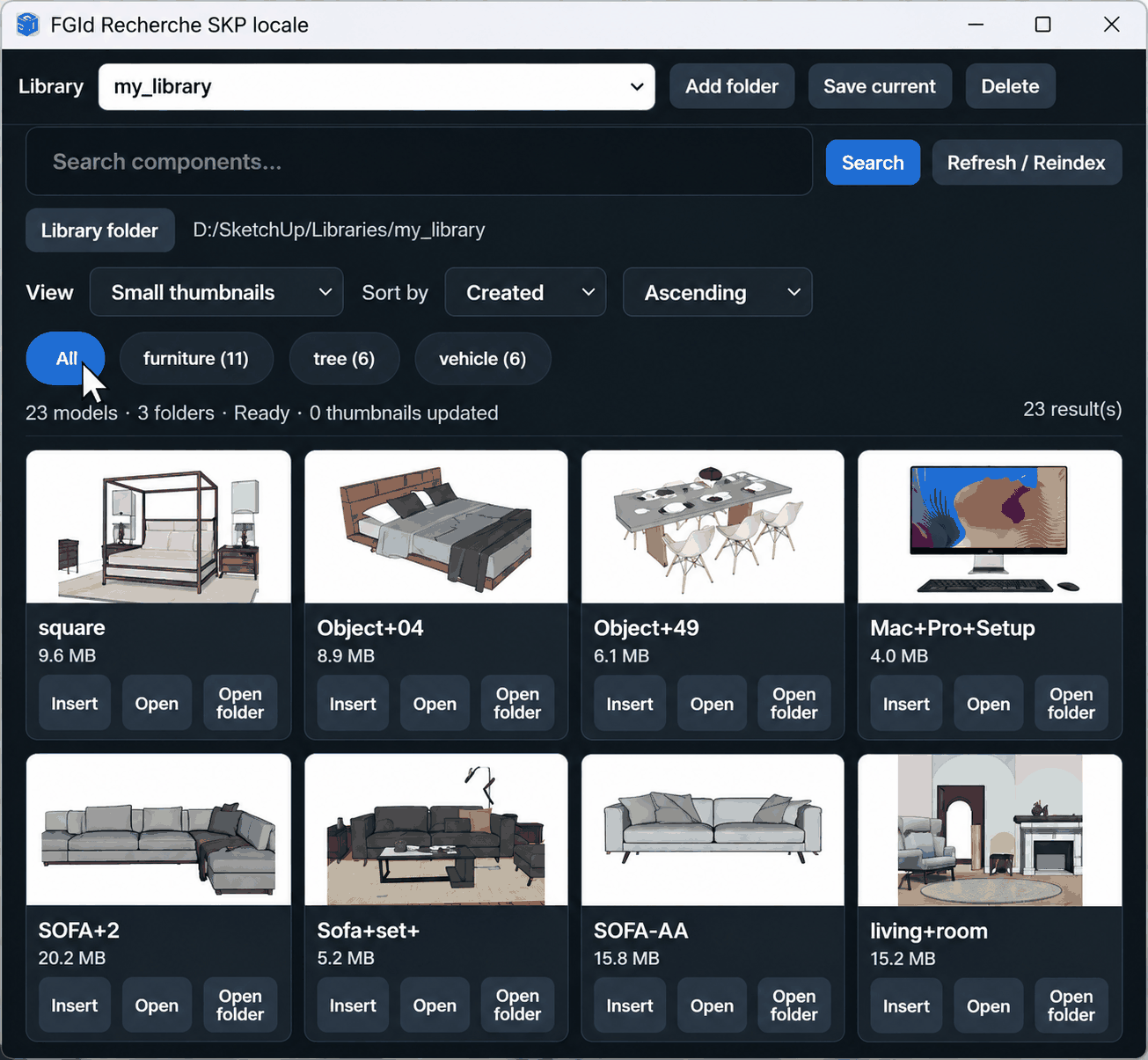
Your SketchUp library, directly inside SketchUp
Over time, SketchUp users often accumulate hundreds or thousands of .skp files.
Furniture, doors, windows, lighting, vegetation, decoration, outdoor equipment and complete projects may already be stored on your computer, but finding the right model often means browsing through multiple folders.
FGId Local SKP Search brings these existing libraries directly into SketchUp.
Your SKP files remain where they are. The plugin indexes your libraries and provides a visual interface to find and reuse them.
Search your SKP collection
Type a few words and immediately narrow down the models displayed in your library.
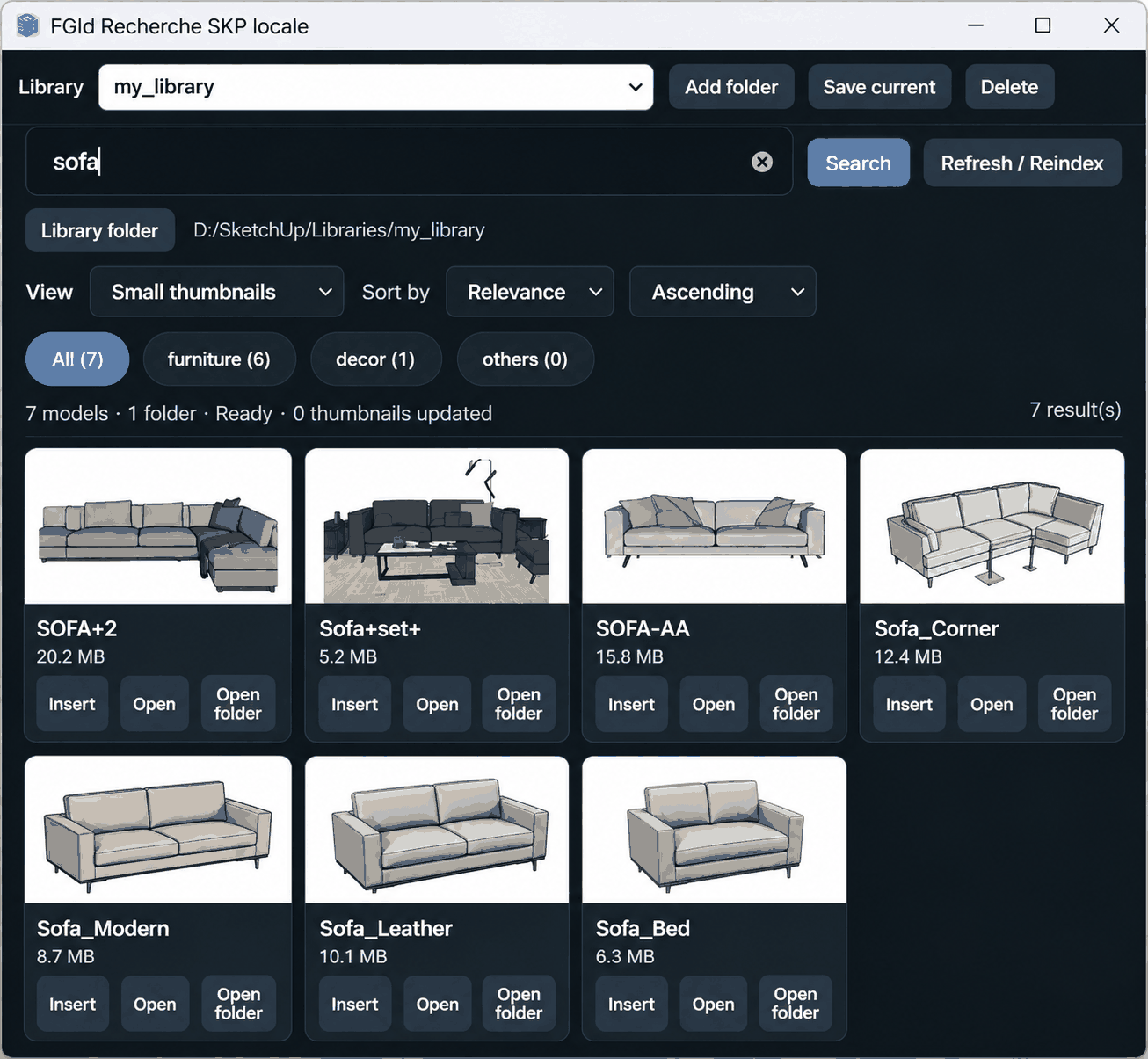
Instead of manually navigating through folders, search directly from SketchUp and identify matching models using their thumbnails.
The search is designed to work with common filename variations and makes existing collections much easier to explore.
Browse by category
You don’t always need to know the name of the model you are looking for.
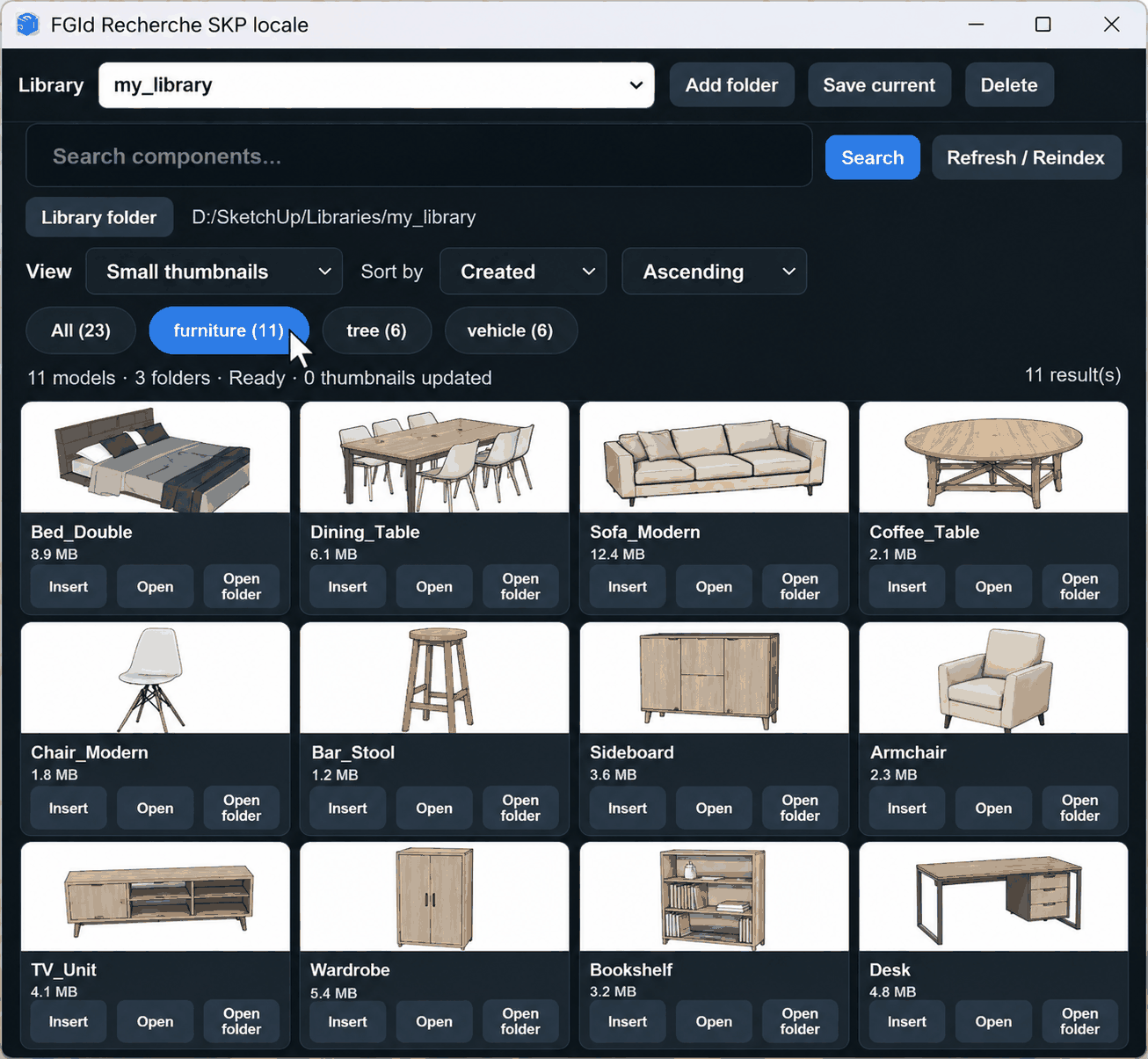
FGId Local SKP Search lets you browse models visually using categories based on the organization of your library.
Use All to browse the complete collection or select a category such as furniture, vegetation or vehicles to focus on a particular family of models.
This makes it possible to combine two complementary workflows:
Search when you know what you want. Browse when you want to see what you already have.
Browse your projects
Your previous SketchUp projects can also become a visual library.

Houses, villas, residences, apartment buildings and other property models can be browsed using the same visual interface.
This is useful when you want to quickly find and reopen an existing project without navigating manually through project folders.
Previous SketchUp work therefore becomes easier to access and reuse.
Manage multiple libraries
Different collections can remain separate.

For example, you can maintain dedicated libraries for:
Interior Design · Exterior & Landscape · Projects · Client Libraries · Shared Content
Switch between libraries directly from the plugin and add new library folders whenever required.
Your existing directory structure remains the source of your models.
From your library to SketchUp
Finding the model is only part of the workflow.
FGId Local SKP Search also lets you insert a selected SKP model directly into the current SketchUp project.
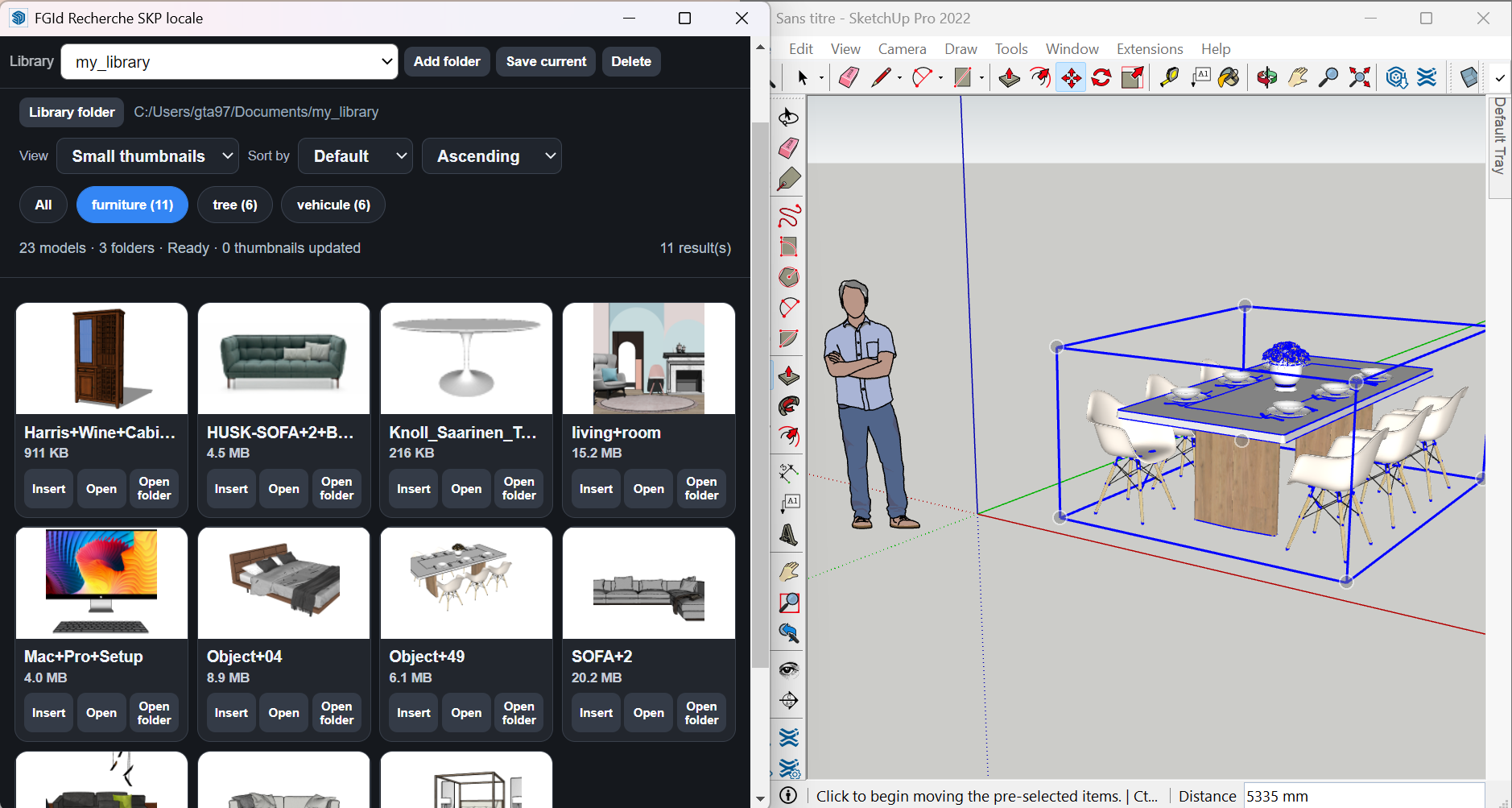
The complete workflow stays simple:
Search → Preview → Select → Insert
There is no need to repeatedly leave SketchUp, browse through folders, open models individually and return to your working project.
Your files remain your files
FGId Local SKP Search works with your existing .skp files and folders.
There is no need to upload your models to an online catalog simply to make them searchable.
Online 3D libraries remain useful when searching for new content.
FGId Local SKP Search addresses a different need:
finding and reusing the SketchUp models you already have.
Installation
- Download the
.rbzfile. - Open SketchUp.
- Go to Extensions → Extension Manager.
- Click Install Extension.
- Select
FGId_Local_SKP_Search_Lastest.rbz. - Restart SketchUp if required.
FGId Local SKP Search — Free
Current version: 1.8.6
Developed by Gilles Tarnus — FGId